 Coach Recap
Coaching management software for solo coaches
You pay for five tools and still keep the important things about each client in your head.
- Free for 3 clients
- Every feature on every plan
- Set up in 5 minutes
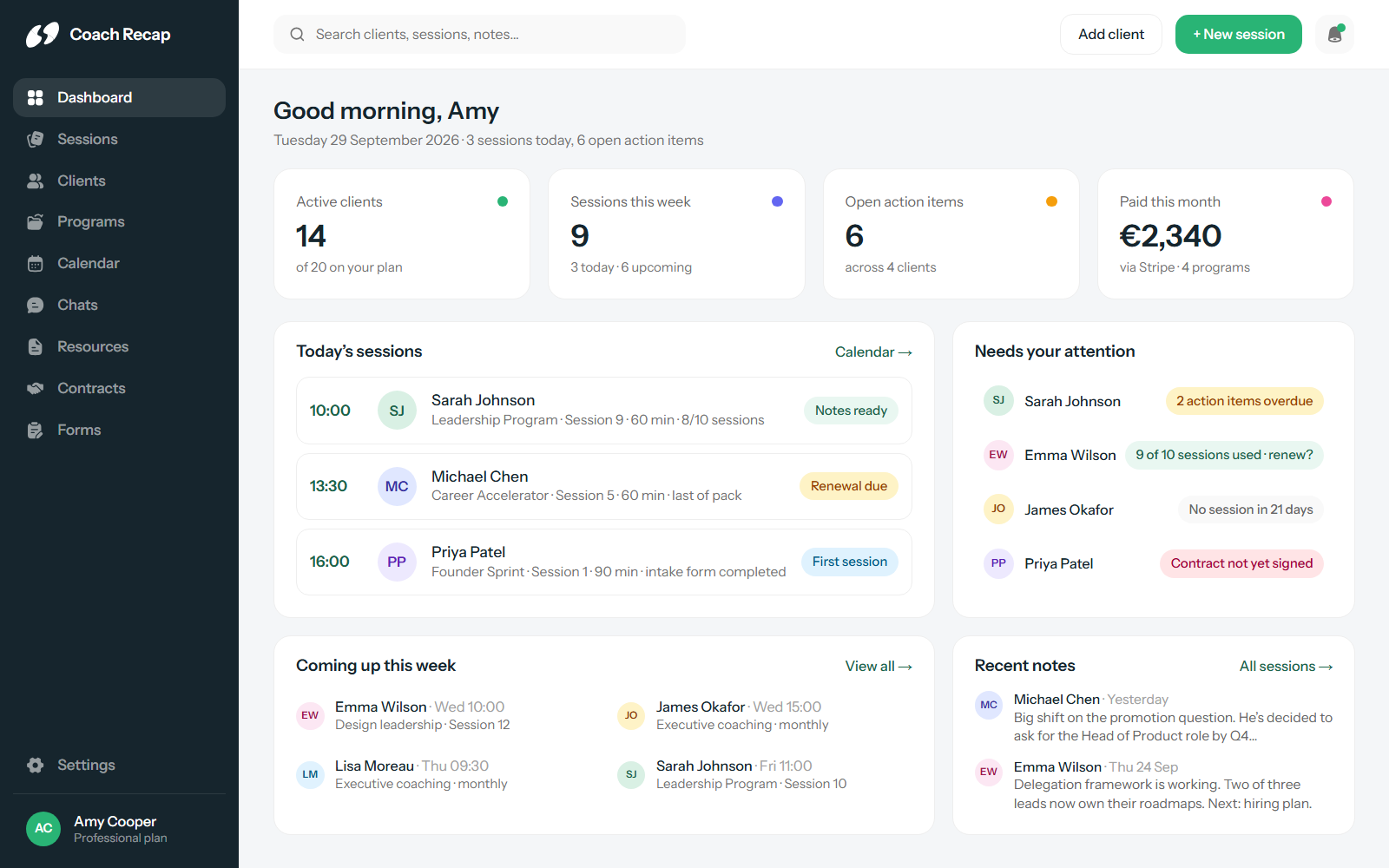
Everything about a client, in one profile
Most coaches don’t set out to run their practice across five tools. It happens one gap at a time: a scheduling link here, a notes app there, an invoicing tool because the packs got complicated. A year in, a single client’s story is spread across a calendar, an inbox, a notebook and a spreadsheet, and preparing for a session means opening all four.
Coach Recap starts from the client instead of the tool. Open a profile and you see every session, every note, every goal, every open action item, every form they’ve filled in and every payment they’ve made. Scheduling, notes and billing all belong to that profile.
The four things a coaching practice runs on
Client management
A profile per client with full history, goals and pending action items. Intake forms and progress check-ins are sent automatically and land in the same place. Contracts, shared resources and a private chat live there too.
Scheduling and booking
A booking page with your availability, buffer times and notice rules. Two-way sync with Google Calendar and Outlook. Email reminders at 24 hours, 1 hour and 15 minutes, with your own wording.
Session notes
Notes, goals and action items per session, with follow-up tracking and full-text search across everything you’ve ever written. Session six starts with what happened in session four.
Programs and payments
Session packs and monthly subscriptions, paid through Stripe. You see how many sessions each client has used, so you can raise a renewal before the pack runs out.
Why one system beats five good tools
The individual tools are often good. The problem is that they don’t know about each other. A booking in Calendly has no idea which pack it belongs to, and an invoice in your accounting tool has no idea the client still has three sessions left. You end up carrying that information between them by hand, and the hours add up.
- One client record instead of a client in four databases
- Sessions, notes and payments that reference each other
- One booking page, one reminder system, one place clients log in
- Custom branding across the booking page and every email
- GDPR compliant, no ads, no data selling, and your data stays yours
Built for a practice of one
Coach Recap is built for one coach, so there are no seat licences or admin roles to set up, and every plan has every feature. The free plan covers three clients with no time limit and no credit card. That is enough to run your first paid sessions on it and decide based on real use.
Setup takes about five minutes: import your clients, connect your calendar, share your booking link. From there, the plans only differ in how many clients you can manage.
Frequently asked questions
What is coaching management software?
Coaching management software is one system for running a coaching practice: client records, scheduling, session notes, programs and payments. Instead of a CRM, a calendar tool, a notes app and an invoicing tool, everything about a client lives in one profile. Coach Recap is built specifically for solo coaches, not agencies or enterprise teams.
Which features are included on the free plan?
All of them. Every plan includes client management, scheduling and booking, session notes, programs and payments, forms, contracts, chats, resources, custom branding and the mobile app. The only difference between plans is how many clients you can manage: 3 on the free plan, 20 on Professional and unlimited on Business.
Does Coach Recap work with my existing calendar?
Yes. Coach Recap syncs with Google Calendar and Outlook, so your booking page only shows times you are free and new bookings appear in your own calendar automatically.
Is there a mobile app?
Yes. Coach Recap has apps for iOS and Android, so you can read a client’s history before a session or add notes right after it, wherever you are.
Your next session could be the first one with everything in one place.
Free for three clients. Five minutes to set up.
Start free