 Coach Recap
Coaching scheduling software with a booking page your clients will use
Every “does Tuesday at 3 work?” email costs you ten minutes, and a no-show costs you the hour.
- Free for 3 clients
- Every feature on every plan
- Set up in 5 minutes
A booking page that belongs to your practice
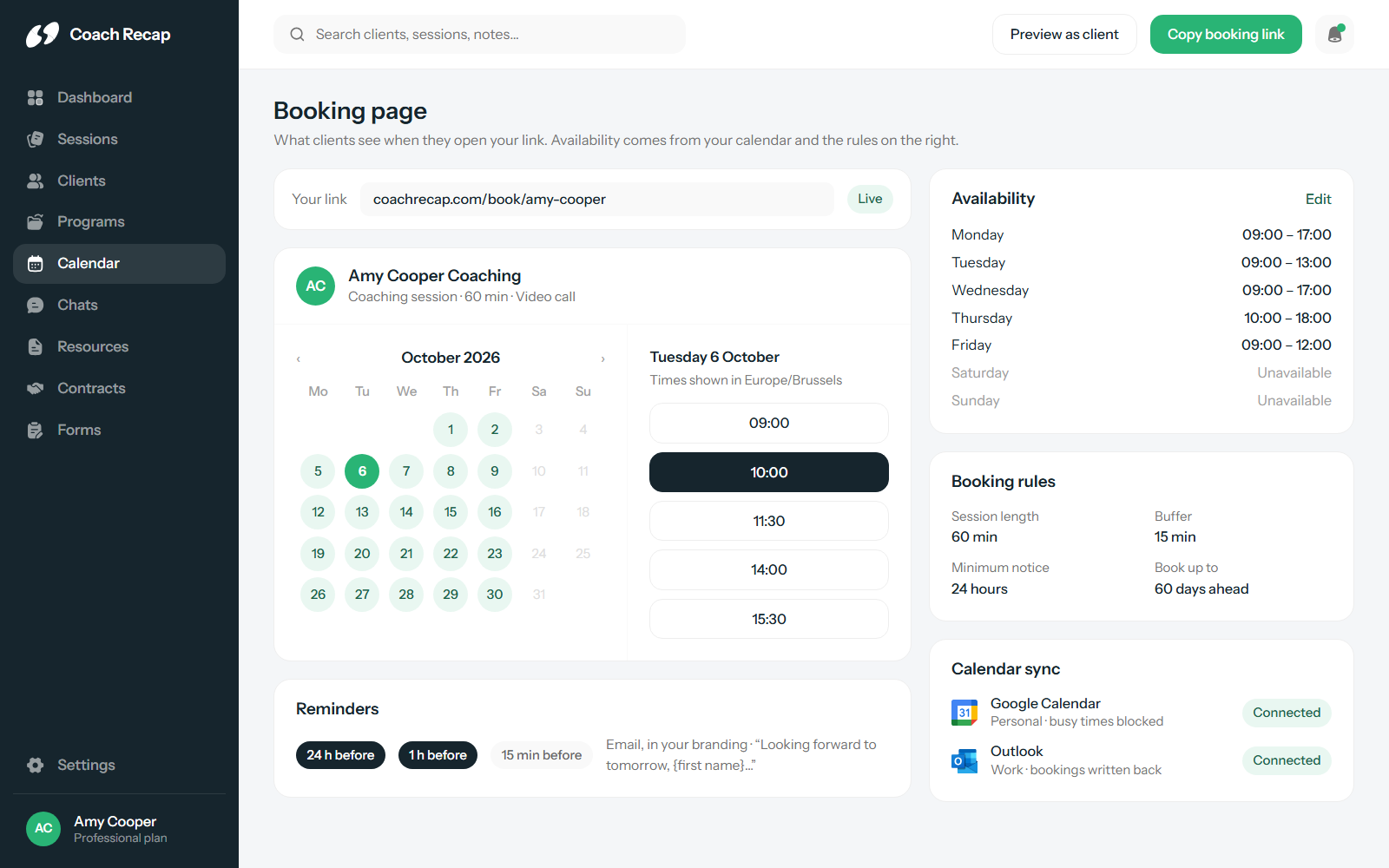
Share one link and let clients pick a time. Any booking tool can do that. In Coach Recap the booking also becomes a session on the client’s profile, counts against their program, and has a notes page waiting when it ends.
The page carries your logo and colours, so a client who books from your website never feels they’ve been handed off to a third-party tool.
- Shareable booking page under your own branding
- Bookings become sessions on the client’s profile automatically
- Sessions tracked against the client’s program
- Clients reschedule themselves within your rules
Availability rules that protect your day
Coaches don’t want to be bookable at any free hour. You need space before a session to prepare and after it to write up. You don’t want a booking landing twenty minutes from now, and you don’t want someone reserving a slot four months out. In Coach Recap those are settings, so you don’t have to police them yourself.
- Working hours per day
- Buffer time before and after each session
- Minimum notice, so last-minute bookings can’t happen
- Maximum advance booking window
- Default session duration
Two-way sync with Google Calendar and Outlook
Your booking page reads your calendar before offering a slot, so a dentist appointment or a school pickup blocks the time without you touching anything. When a client books, the session is written back to your calendar with their name on it, so you can’t be double-booked.
Reminders that end no-shows
A missed session is an hour you don’t get back and usually can’t bill. Coach Recap sends automatic email reminders at 24 hours, 1 hour and 15 minutes before a session, and you choose which of those to use. You can edit the wording so it reads like a note from you.
- Automatic email reminders to clients
- Timing: 24 hours, 1 hour, 15 minutes, in any combination
- Personalised reminder templates
- Styled with your branding
Connected to the rest of your practice
Scheduling sits next to session notes, client profiles and programs. When a client books, the session is created, the pack is updated, the reminder is queued and the notes page is ready. It’s included on every plan, including the free one; see the plans here.
Frequently asked questions
Which calendars does Coach Recap sync with?
Google Calendar and Outlook. The sync is two-way: your booking page only offers times you are free according to your calendar, and every new booking is written back to it, so you never double-book a session over a personal appointment.
How do reminders work?
Coach Recap sends automatic email reminders to clients before a session. You choose the timing: 24 hours, 1 hour and 15 minutes before, in any combination, and you can personalise the reminder text so it sounds like you.
Can I control how far ahead or how late clients book?
Yes. You set a minimum notice (for example, no bookings less than 24 hours ahead), a maximum advance window, buffer time between sessions and a default session length. Clients only see slots that fit those rules.
Do I need a separate booking tool like Calendly?
No. The booking page is part of Coach Recap, so a booking creates the session, links it to the client’s program and appears on their profile. A standalone booking tool only creates a calendar event and leaves the rest to you.
Your next session could be the first one with everything in one place.
Free for three clients. Five minutes to set up.
Start free