 Coach Recap
Coaching client management software for solo coaches
Your client’s notes are in a notebook and their goals are somewhere in an email thread from March.
- Free for 3 clients
- Every feature on every plan
- Set up in 5 minutes
One profile per client, with the whole story
Storing client information is easy. Finding the right piece of it two minutes before a session is the hard part: what was agreed last time, which goal she said mattered most, whether he ever sent back the intake form.
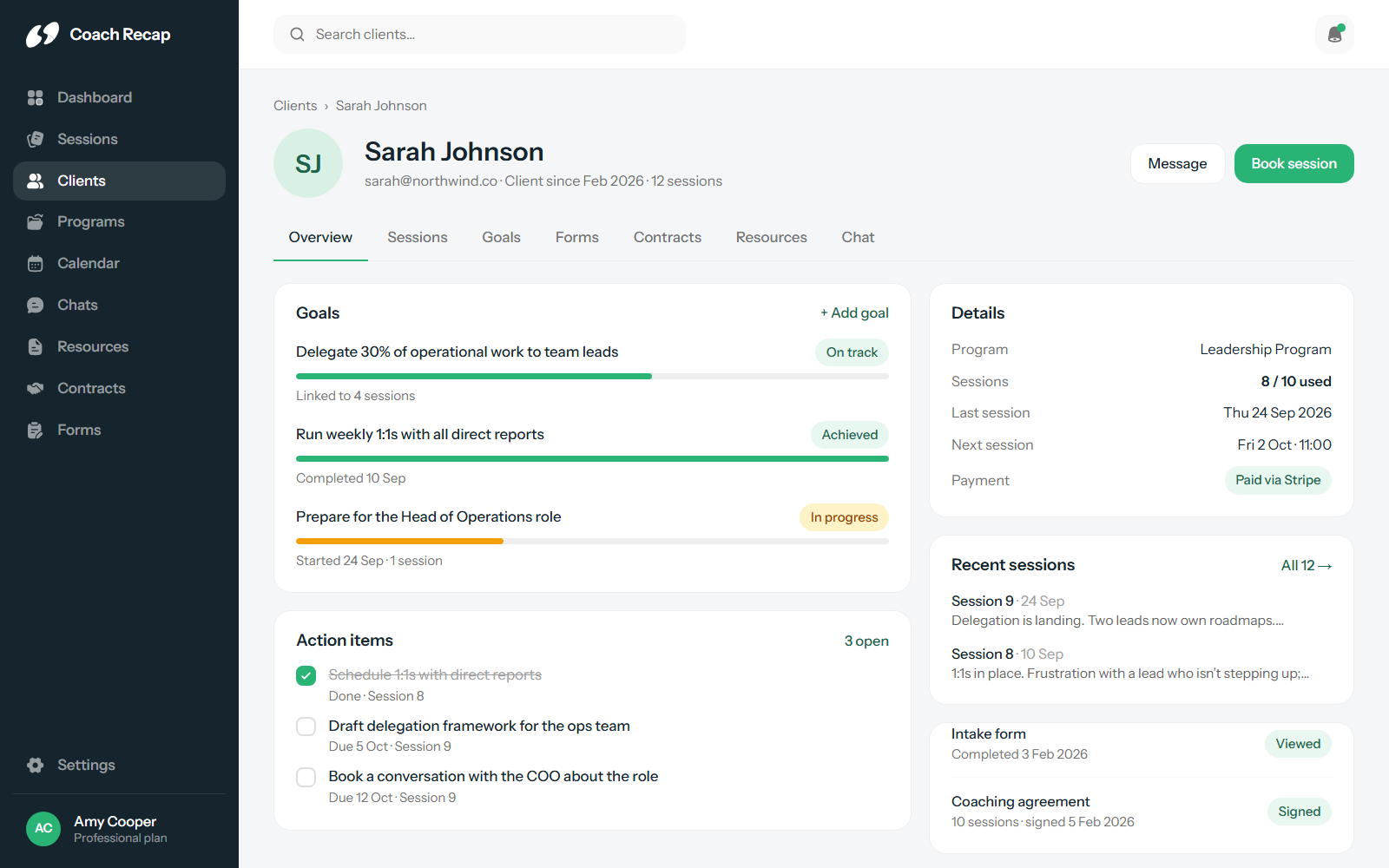
In Coach Recap, every client has one profile and everything attaches to it: the sessions in order with their notes and action items, the goals and their current status, form responses, signed contracts, shared files and the chat thread. The client list shows how many sessions someone has had and when the last one was, so you notice when a client has gone quiet.
- Full session history per client, newest first
- Goals and pending action items on the profile, not buried in notes
- Session count and last-session date in the client list
- Quick search and filtering across all clients
Goals and action items you can follow up on
Most sessions end with a commitment. The client agrees to do something before next time, and you agree to follow up. In most tools that commitment is a line of text in a note. In Coach Recap it is an action item: created inside the session, shown on the client’s profile until it is done, and carried over so it is in front of you when the next session starts.
Goals work the same way. They are set with the client, linked to the sessions that worked on them, and visible from the profile, so progress is easy to show. See how this connects to session notes.
Intake forms and check-ins, sent automatically
Create an intake form once and Coach Recap sends it before a client’s first session. Set a feedback survey to go out after every session, or a progress check-in monthly. Responses land on the client’s profile, so you read the intake answers in the same place you’ll write the session notes.
- Custom intake forms for new clients
- Post-session feedback surveys
- Recurring progress check-ins
- Automated delivery before or after sessions
- Every response stored on the client profile
Contracts, chat and resources in the same place
The things that usually live in email get a home too. Coaching agreements are stored per client. A private chat keeps between-session questions out of your inbox. Worksheets and recordings are shared as resources the client can open from their side. Everything carries your own logo and colours, so the client sees one practice.
Built for a practice of one
Coach Recap is designed for solo coaches, so there are no seats to buy and no features held back for a higher tier. The free plan covers three clients indefinitely, with no credit card. When your practice grows, the Professional and Business plans only change the client limit, never the feature set. And the iOS and Android apps mean the profile is with you when the session isn’t at your desk.
Frequently asked questions
What does a client profile in Coach Recap contain?
Every session with its notes and action items, the client’s goals and their status, intake form and check-in responses, signed contracts, shared resources, the chat thread and the programs they’re on, including how many sessions are used. You also see the session count and the date of the last session at a glance from the client list.
Can I import my existing clients?
Yes. You can import your clients when you set up your account, then connect your calendar and share your booking link. Most coaches are up and running in about five minutes.
Is client data GDPR compliant?
Yes. Coach Recap is GDPR compliant, does not sell data and shows no ads. Your client information is private and stays yours. You can request deletion of data at any time.
How many clients can I manage?
Three on the free plan, twenty on Professional (€29/month) and unlimited on Business (€79/month). An active client is anyone with a session or booking in the last 90 days, so past clients don’t count against your limit.
Your next session could be the first one with everything in one place.
Free for three clients. Five minutes to set up.
Start free